
If you've forgotten your password it's easy to reset it.
Step 1: Just go to http://app.hoopshr.com
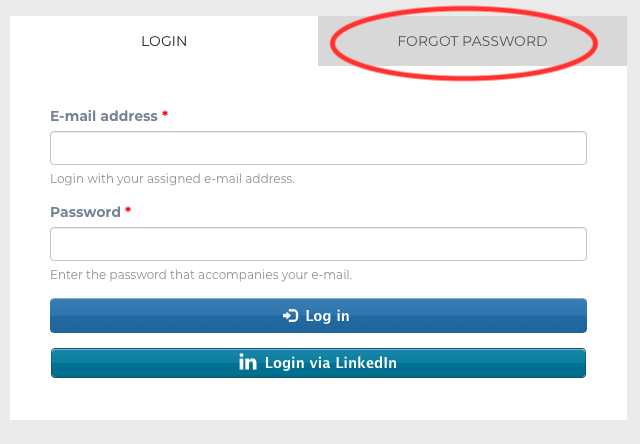
Step 2: You will be defaulted to the login screen, but you'll need to click the tab that says "Forgot Password"
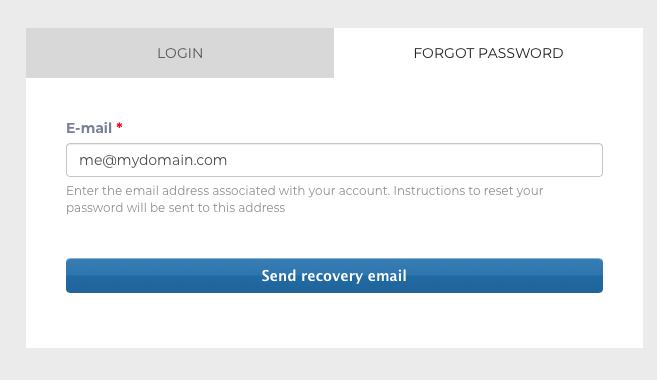
Step 3: Just enter your email in the box provided and click "Send Recovery Email"
Step 4: We'll send you a link to the email address you provided. Just click on the link in the email and you'll be able to reset your password!
That's it!